

September 13, 2026
THE AUTOMATION APP: SCHEDULED AND EVENT-TRIGGERED WORK WITH ONE AGENT STEP
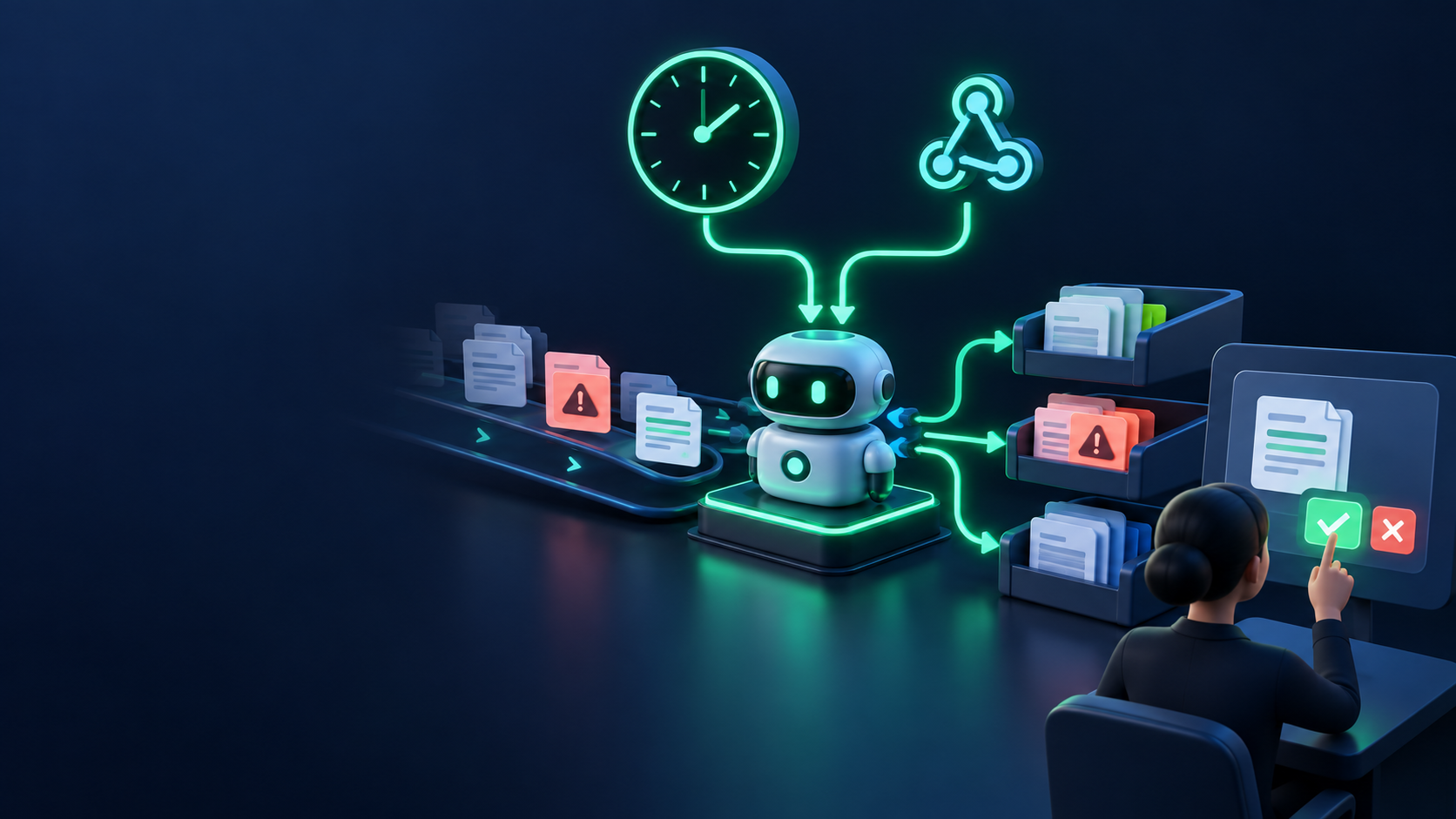
Lessons 54.1–54.5 gave you shapes named by who they serve and what they promise. This lesson names one more shape explicitly, because it is where many readers will get their first real win: the automation app — a product whose core value is recurring work done reliably, with one bounded agent step inside a visible workflow.
When the app IS the automation
Most applications wait for a person to arrive: they open a page, type a query, get an answer. An automation app starts the other way around — something *happens*, and the product does the work:
- A schedule fires: every morning at 7, every hour, every Monday. A monitor checks sources, a digest compiles, an alert goes out only if something changed enough to matter.
- An event arrives: a new inbox message, a form submission, a webhook from a payment, a file dropped in a folder. The product classifies it, enriches it, drafts a response, files it where it belongs.
- A threshold trips: a price moves, a queue grows, a job fails three times. The product notifies the right person with the evidence attached.
The machinery is not new — Part VII taught schedules, queues, and webhooks; Part VIII/31.5–31.6 taught Make/n8n workflows with an agent step and approval gates. What is new here is the *product decision*: the trigger, the workflow, and the audit trail are the product the user pays attention to, not a hidden implementation detail.
A support-inbox triage product is the canonical example. New message → workflow receives it → agent classifies intent and urgency, retrieves account and knowledge context → creates a ticket plus a drafted reply → human handles exceptions or approves sends. The user never writes a prompt. They see a triaged queue, drafts waiting for approval, and a log of what was decided and why.
The shape in one diagram
trigger (schedule / inbox / webhook / form / file drop)
  → workflow (Make, n8n, or a small scheduled worker)
    → agent step (classify / retrieve context / draft — one bounded job)
      → write (ticket, CRM row, database record, queued draft)
        → approval gate (human approves sends, publishes, payments)
          → audit log + status the user can inspect
Every arrow needs an owner and a failure plan — the same event-to-action discipline from Part VII. If any arrow is vague ("the AI handles it"), the product is not scoped yet.
Three wedges that work
1. One inbox, triaged and drafted. Pick a single shared mailbox (support, sales, info@). The wedge: every new message gets classified (intent, urgency), linked to account context, turned into a ticket with a drafted reply, and routed — exceptions to a human queue. Start with triage + drafts only; automatic sending only for narrowly defined, low-risk replies with escalation, logging, and a named owner.
2. One form, enriched and filed. A lead, application, or intake form arrives by webhook. The workflow validates it, enriches it (company lookup from an approved source), creates the CRM row, and has the agent prepare a personalized draft follow-up the salesperson approves or edits. The wedge is one form and one destination — not five integrations.
3. One nightly monitor, one morning alert. Watchlist prices, source filings, competitor pages, or job boards — checked on a schedule, compared against yesterday, alert sent only on meaningful change with the evidence linked. No alert when nothing changed is a feature, not a bug.
Each wedge passes the Lesson 54.4 test: specific user, existing painful manual behavior, clear input, visible output, reason to return, small enough to support, no network effect required.
When it is NOT an automation app
Do not force the shape. It is the wrong choice when the work happens once (a single report, a one-off migration), when there is no permitted trigger (no API, no webhook, no mailbox access, no lawful file feed — browser-scraping a site that forbids it is not a trigger), or when no one can approve the consequential action (auto-sending refunds with no owner is not automation, it is an incident). One manual run first, then decide whether recurrence earns the workflow.
The first version
V1 of an automation app is: one trigger, one workflow, one agent step, one approval gate, one audit log. Concretely: a manual-test trigger with sample data first; read-only actions before writes; mapped fields inspected before going live; each run logged with trigger, inputs, agent decision, write destination, approver, and outcome. Only then connect the real mailbox, schedule, or webhook — exactly the safe n8n sequence from Part VIII: manual → inspect → read-only → approval branch → log → real trigger.
Trust boundaries from Lesson 54.5 still apply in full: private data stays permissioned, approval precedes sends and publishes, "MVP" never excuses leaking customer records. An automation app touches other people's data on a schedule — that raises the bar, not lowers it.
Practical exercise
Pick one recurring annoyance in your own work (inbox triage, lead filing, nightly check). Write the automation-app card:
- Trigger (what starts it, how often, from where)
- Workflow (which steps, in which tool — n8n, Make, or a small worker)
- Agent step (the one bounded job: classify, retrieve, draft — with its inputs)
- Write destination (ticket, CRM, database, queued draft)
- Approval gate (who approves what before anything sends or publishes)
- Audit (what each run logs, where the user sees status)
Finish line: a one-page card where a reviewer can point at every arrow and say what triggers it, what data crosses it, and who approves the next consequential action.
Verify: cover the agent step and ask a stranger what the product does without it. If the answer is "nothing" — the workflow, not the model, is missing. If the answer is clear, the agent step is correctly a multiplier, not the product.
Common failure mode: five triggers, three agent steps, and auto-send on day one. Recovery: delete until one trigger and one approval gate remain. Earn the second trigger with a week of clean logs.
Check your understanding
1. What three trigger families start an automation app — and which one fits a nightly price check? 2. What is the agent's one bounded job in the inbox wedge, and what does it never do without approval? 3. Why must the audit log exist from v1 rather than "later when we scale"? 4. When is a manual one-off run the right answer instead of building the workflow?
ARTICLE DISCUSSION
JOIN THE
CONVERSATION.
Got a question, a take, or a better way to do this? Log in and leave a comment.