

September 9, 2026
BEFORE YOU VIBE CODE: THE TOOLS YOU NEED

Before we actually start vibe coding, we need to spend some time on the tools.
This may not be the most exciting part of the process, but it is important.
One of the misconceptions about vibe coding is that you simply open an AI, describe an application, and somehow a website appears.
We're getting surprisingly close to that.
But we're not quite there.
The AI can write an extraordinary amount of the software for you. It can create files, install packages, connect services, write database queries, diagnose errors, configure applications, and increasingly even interact with browser-based administration screens.
But the application still has to live somewhere.
The code has to be stored somewhere.
If the application needs to remember information, that information has to be stored somewhere.
If people are going to type a name such as mycompany.com into a browser, the internet needs to know where that name should lead.
And if your application uses AI models, it may need a way to communicate with those models as well.
So before we build anything, you need to understand the handful of tools that make up what I think of as the modern vibe-coding stack.
Don't worry if some of this initially sounds technical.
The point of this article is to make it less technical.
You do not need to become an expert in any of these technologies before you start building.
You simply need to understand what each tool does, why it exists, and where it fits.
---
# Start With the AI Coding Agent
The first tool is obviously the AI itself.
For coding, I recommend beginning with one of the major terminal-based coding agents:
- Codex
- Claude Code
There are many others, and this field is evolving extraordinarily quickly.
There are also increasingly capable Chinese and open models that can be used for software development. Models in the GLM family, for example, can be accessed through services such as OpenRouter.
Another coding agent called OpenCode is particularly useful if you want greater freedom in choosing which models and providers you use.
Don't worry about OpenCode yet. We'll return to it in a dedicated section below.
For your first project, I would start with Codex or Claude Code, learn one environment properly, and expand later.
What Is a Coding Agent?
This is worth understanding because a coding agent is different from simply talking to an AI in a browser.
When you use ChatGPT normally, you're having a conversation with an AI.
You might ask:
And ChatGPT can explain the answer.
A coding agent goes much further.
You run it from a folder on your computer containing your software project, usually through the Terminal on Mac or Linux, or a terminal environment on Windows.
Now the AI can interact with the actual project.
It can:
- read existing code
- create new files
- edit files
- reorganize files
- install software packages
- run tests
- start the application
- inspect errors
- execute terminal commands
- query databases
- use Git
- fix bugs
- change configurations
- connect APIs
- help deploy the finished application
Instead of copying some code into ChatGPT and asking:
you can tell your coding agent:
The agent can inspect the project, identify the files involved, write the code, run the application, inspect errors, and often fix problems itself.
That is one of the central changes behind vibe coding.
You are describing what you want the software to do, while the AI increasingly handles the mechanical work of writing and modifying the code.
---
# What Is a CLI?
You will hear the term CLI constantly.
CLI stands for Command-Line Interface.
That is simply a technical way of saying that instead of interacting with a program mainly through buttons, menus, and windows, you interact with it through text commands in a terminal.
If you've never opened Terminal before, it may initially look like something out of a 1980s computer movie.
Don't panic.
You do not need to become a command-line expert before you can vibe code.
The AI will eventually execute many of the commands for you.
But when you first install Codex, Claude Code, OpenCode, or another coding agent, spend a little time learning its own menu system.
In many AI coding interfaces, typing / exposes available commands or options.
Learn how to:
- select a model
- change the reasoning level
- start a new session
- stop an agent
- inspect what it is doing
- control permissions
- understand how much context the agent is using
This takes minutes, not weeks.
And it can save you both money and frustration.
---
# Learn to Control the Model
This is one of the first disciplines of vibe coding.
Do not assume that because a company offers an enormous frontier model, you should use that model for every programming task.
You usually shouldn't.
A large percentage of programming consists of relatively ordinary work:
- move this button
- add this field
- create this page
- fix this formatting
- write this database query
- change this API call
- modify this form
- update this validation rule
- change this text
- fix this small bug
You generally do not need the world's most powerful and expensive reasoning model to perform those jobs.
For most routine coding, I prefer a strong model running at a medium reasoning level.
That is usually more than adequate for the overwhelming majority of normal development work.
Use the expensive, highest-capability models when the problem genuinely requires them: difficult architecture decisions, stubborn bugs, complicated migrations, security-sensitive changes, or situations where the cheaper model is simply failing.
Think about it the same way you would think about human labor.
You wouldn't hire the world's most expensive consulting firm to change the wording on a button.
The same principle applies to AI.
Model management is part of vibe coding.
You are not simply managing software anymore.
You are managing intelligence — and paying for that intelligence.
---
# OpenRouter: One Gateway to Many AI Models
Once you become more comfortable, another useful service to understand is OpenRouter.
Website: openrouter.ai
OpenRouter provides a common interface through which software can access models from many different AI providers.
That matters because AI models normally come from separate companies.
OpenAI has its models.
Anthropic has Claude.
Google has Gemini.
Other companies offer GLM, Qwen, DeepSeek, and many more.
Without something like OpenRouter, an application that wants to use several different providers may have to integrate with each provider separately.
Each provider can have:
- different credentials
- different APIs
- different pricing
- different model names
- different technical requirements
OpenRouter provides a common gateway.
Your application can make requests through OpenRouter and choose among many models and providers through one interface.
That is useful in two different ways.
First, it is useful when building AI applications.
Suppose you create a research product.
You may discover that one model is excellent at coding, another at summarization, another at long documents, and another is dramatically cheaper for routine tasks.
Instead of permanently designing the application around one model provider, OpenRouter makes it easier to experiment and switch.
Second, OpenRouter can be useful when using AI to develop software.
You might want to try a less expensive coding model for routine work and reserve a frontier model for difficult problems.
OpenRouter lets you compare models and pricing without creating a completely separate technical integration for every model family.
You do not need OpenRouter for your first vibe-coded website.
Codex or Claude Code is plenty.
But it is worth knowing that this layer exists, particularly as your AI applications become more sophisticated.
Link: https://openrouter.ai/
---
# OpenCode: A More Model-Agnostic Coding Agent
Now we can return to OpenCode.
Website: opencode.ai
OpenCode is an AI coding agent, much like Codex or Claude Code, but one of its important attractions is that it can connect to many different AI providers.
That gives you more control over which model performs the coding.
Instead of being closely associated with one model provider, OpenCode can act as the coding environment while you choose the intelligence behind it.
That becomes useful when you start thinking about cost.
Perhaps a relatively inexpensive model is perfectly adequate for:
But you want a much stronger model for:
OpenCode makes that kind of model switching easier.
It is also useful if you want to use models available through services such as OpenRouter.
But again, don't turn model selection into a hobby before you've built anything.
For a beginner, I recommend:
1. Start with Codex or Claude Code. 2. Learn the workflow. 3. Build something. 4. Understand how coding agents operate. 5. Then experiment with OpenCode and alternative models.
Otherwise, you can spend days optimizing your toolchain for a project you haven't actually started.
Link: https://opencode.ai/
---
# Use ChatGPT Alongside the Coding Agent
I also recommend using the normal graphical version of ChatGPT alongside your terminal coding agent.
They are useful for different things.
I tend to think of ChatGPT as the place where I think about the project.
The coding agent is where I execute the project.
Before you start coding, talk through the idea.
Explain what you are trying to build.
Ask questions.
Challenge the architecture.
Ask whether you actually need a database.
Ask what services you need.
Ask what could become difficult later.
Ask what the simplest possible architecture would be.
Then ask ChatGPT to create an engineering plan.
Once that plan looks right, ask it to turn the plan into a Markdown document.
Markdown is simply a plain-text format that allows headings, lists, links, emphasis, and other structure.
A Markdown file normally ends in:
.md
That file can contain the entire description of the application you want to build.
You can then give that Markdown file to Codex, Claude Code, or OpenCode.
That becomes the initial set of instructions for the coding agent.
This is a much better workflow than opening Codex and typing:
and letting the coding model invent the architecture itself.
Separate the thinking from the implementation.
---
# Why Not Start With AWS?
AWS lets you rent and control powerful cloud infrastructure. It is excellent technology, and many of the world’s biggest companies use it.
But it gives you more to own: servers, networking, permissions, databases, security, backups, logs, and costs. AI can help operate it, but that does not remove the choices. When something breaks, you can still end up debugging infrastructure instead of building your product.
For a first project, use managed tools that handle most of that work: Vercel for deployment, Supabase for the database and authentication, Cloudflare for DNS and security, and GitHub for your code.
AWS may make sense later if you have unusual requirements, enormous scale, or a team that wants deep control. But it may never be necessary. Plenty of serious products stay on managed infrastructure because it is simpler to operate and good enough for the work they actually do.
---
# The Modern Vibe-Coding Approach
Instead of constructing one large server environment that performs every job, we can divide the application into specialized pieces.
Then we use companies that already know how to perform those jobs.
A simple modern architecture might look something like this:
Domain registrar
↓
Cloudflare — DNS, security, network layer
↓
Vercel — application deployment and delivery
And alongside that:
Supabase — database and backend services
GitHub — code repository and version history
Codex / Claude Code / OpenCode — coding agent
Each service has a particular responsibility.

This is the key idea.
Instead of asking:
you increasingly ask:
Then your application connects those services together.
This is one of the reasons vibe coding has become so accessible.
Now let's go through those pieces properly.
---
# First You Need a Domain
If you're going to put a website on the internet, it normally needs a name.
For example:
google.com
amazon.com
mynewcompany.com
That is a domain name.
You buy domain names from companies called domain registrars.
Some well-known options include:
- Namecheap — https://www.namecheap.com/
- Porkbun — https://porkbun.com/
- GoDaddy — https://www.godaddy.com/
There are many others.
Don't turn this into a major engineering decision.
Search for the domain you want.
Compare prices.
Check the first-year price.
More importantly, check the renewal price, because some registrars offer an inexpensive first year and a considerably higher price afterward.
Then buy the domain.
The registrar records that you control that domain.
But buying a domain does not create a website.
You have purchased the name.
Now the internet has to know where that name should lead.
That brings us to DNS.
---
# What Is DNS?
DNS stands for Domain Name System.
It sounds intimidating.
The basic idea is not.
DNS is essentially the internet's address book.
Humans are good at remembering names such as:
mycompany.com
Computers ultimately need technical network destinations.
DNS connects the friendly name that humans use with the destination that computers need.
Think about the contacts list in your phone.
You don't memorize someone's telephone number.
You tap their name.
Your phone knows which telephone number corresponds to that person.
DNS performs a similar function for internet services.
When somebody types:
mycompany.com
into a browser, DNS helps tell their computer where that request should go.
Without DNS, owning the domain is like owning someone's name without knowing their telephone number.
---
# What Is a DNS Record?
DNS stores instructions called records.
You will eventually see terms such as:
- A
- AAAA
- CNAME
- MX
- TXT
You do not need to memorize them before starting.
You just need to understand that they are different kinds of instructions.
An A record can point a name toward an IPv4 address.
A CNAME record can point one hostname toward another hostname.
An MX record tells the internet where email for the domain should go.
A TXT record can store verification or configuration information used by other services.
Suppose Vercel tells you:
You do not need to blindly paste it.
Ask ChatGPT:
This is exactly how I recommend learning.
You don't need to memorize networking textbooks.
Learn the concepts as you encounter them.
---
# Cloudflare: The Internet Layer Between Your Domain and Your Application
For DNS, I generally recommend Cloudflare.
Website: https://www.cloudflare.com/
Cloudflare has become one of the dominant infrastructure companies on the internet.
It does much more than DNS.
Its services include things such as:
- DNS
- CDN delivery
- DDoS protection
- HTTPS/SSL services
- web security
- caching
- edge computing
- Workers
- storage
- network services
You do not need to understand all of those things yet.
For your first project, I want you to think of Cloudflare primarily as the internet-facing layer between your domain and the infrastructure running your application.
---
# Your Registrar and Cloudflare Are Doing Different Jobs
Suppose you buy:
mycompany.com
from Porkbun.
Porkbun is your registrar.
It records that you control the name.
You can then tell Porkbun:
This is done by changing something called the domain's nameservers.
Nameservers are essentially the authoritative place the internet asks for instructions about your domain.
Once those point to Cloudflare, Cloudflare manages the DNS records.
You have not necessarily transferred the domain away from Porkbun.
Porkbun can still be the registrar.
Cloudflare simply manages the DNS.
This is a very important distinction:
Registrar = who manages ownership and registration of the domain.
DNS provider = who manages the instructions telling the internet where services for the domain should go.
---
# Why Use Cloudflare?
You could simply use the DNS service offered by Namecheap, Porkbun, or GoDaddy.
That can work perfectly well.
I prefer Cloudflare because DNS is only one part of what it provides.
Cloudflare can also sit in front of your website and help with:
- security
- blocking malicious traffic
- DDoS protection
- SSL certificates
- caching
- content delivery
The free plan already provides a substantial set of network and security capabilities.
That makes Cloudflare useful as your application grows.
You can begin with DNS and basic protection.
Later, you may use much more of the platform.
---
# What Is a CDN?
Since Cloudflare and Vercel both use this term, we should explain it now.
CDN stands for Content Delivery Network.
Imagine your application originally lives on a computer in the United States.
Someone in Belgium requests an image.
Another user in Australia requests the same image.
Instead of making every user retrieve every file from one distant server, a CDN can keep copies of content distributed through data centers around the world.
The Belgian user may receive the file from somewhere nearby.
The Australian user may receive it from another location.
That can make websites faster and reduce unnecessary work on the original infrastructure.
This process is closely related to caching.
Caching simply means keeping a temporary copy of something so the system doesn't have to recreate or retrieve it from the original source every single time.
For a beginner, you don't need to configure complex CDN architecture.
Cloudflare and Vercel handle much of it automatically.
That's another piece of infrastructure you don't have to build yourself.
---
# Cloudflare Can Host Applications Too
One thing that can initially be confusing is that modern infrastructure providers increasingly overlap.
Cloudflare doesn't merely provide DNS.
It also offers tools such as Workers and other compute products that allow developers to run application code.
So yes, you could build an architecture that uses Cloudflare for much more than DNS.
We are deliberately not doing that at the beginning.
When learning, it is useful to give each service a simple conceptual job.
For now:
Cloudflare = domain-facing network layer, DNS, security, and caching.
Vercel = application deployment and hosting platform.
Later, once you understand what you're doing, you can decide whether combining or replacing services makes sense.
---
# Your Code Needs a Home: GitHub
Before we talk about Vercel, we need to talk about the code itself.
Your application will initially be made up of files sitting on your own computer.
Those files may contain:
- application logic
- page layouts
- styles
- configuration
- images
- Markdown articles
- API code
- database definitions
- tests
As the application changes, you need a reliable way to keep track of what changed.
This is where Git and GitHub come in.
Website: https://github.com/
GitHub is owned by Microsoft.
GitLab is another major alternative.
Both are built around a technology called Git.
---
# What Is Git?
Git is a version-control system.
That simply means it keeps track of changes to your software.
Imagine your application contains 500 files.
Today it works perfectly.
Tomorrow your AI coding agent modifies 31 files.
Suddenly something breaks.
Without version control, you may have a difficult time answering:
Git keeps a history.
It lets you record checkpoints.
It lets you compare versions.
It lets you return to an earlier version.
It lets multiple developers work on the same project.
Increasingly, it also helps multiple AI coding agents work on the same project without destroying each other's work.
---
# What Is a Repository?
A software project managed by Git is normally stored in something called a repository.
People usually shorten that to:
repo
Think of a repository as the organized home of the project's code and its history.
GitHub provides an online home for those repositories.
So you might have:
On your laptop: the working copy of your project.
On GitHub: the online repository containing the project's code and version history.
---
# Localhost: Your Own Computer
Before the application ever reaches GitHub or Vercel, it normally runs on your own computer.
Developers often refer to the local environment as:
localhost
Again, this sounds more technical than it is.
Localhost basically means:
Your coding agent creates the application inside a folder on your Mac or PC.
You start the application.
You open your browser.
Instead of visiting the public website, you visit a local address.
Now you can see the application running on your computer before anyone else can access it.
This is important.
It gives you somewhere safe to experiment.
Codex can change something.
You look at the result.
If you don't like it, change it again.
The public website has not been affected.
---
# Commits and Pushes
You will hear two Git terms constantly:
commit
and:
push
A commit is essentially a recorded checkpoint.
You have made a group of changes and tell Git:
A push sends those committed changes from your local computer to the online GitHub repository.
Your coding agent can perform these operations for you.
You might simply tell Codex:
It knows what commands to use.
But watch what it does.
You may start seeing commands such as:
git status
git add
git commit
git push
The first few times they will look like gibberish.
Eventually you will recognize them instantly.
That's how much of vibe coding education works.
You learn by seeing the same concepts repeatedly while building something real.
---
# Vercel: Turning Your Code Into a Live Application
Now we can talk properly about Vercel.
Website: https://vercel.com/
It is tempting to describe Vercel simply as "hosting."
That's not wrong.
But it doesn't really explain why Vercel is so useful.
Vercel is a deployment and application platform designed to take your software code and turn it into a live web application without requiring you to engineer and maintain the underlying server infrastructure yourself.
Let's break that down.
---
# What Does Deployment Mean?
You create an application on your computer.
At this point, only you can see it.
That application has to somehow move from:
to:
The process of taking your application and making it available in a production environment is called deployment.
Traditionally, deployment might mean:
1. connect to your server with SSH, 2. upload the latest code, 3. install dependencies, 4. build the application, 5. restart services, 6. configure a web server, 7. hope everything works.
Vercel automates much of this.
---
# GitHub → Vercel
One of the reasons Vercel works so well for vibe coding is its close relationship with Git-based development.
You normally connect your Vercel account to your GitHub repository.
Then the workflow becomes:
1. You and the AI modify the application on localhost. 2. You test it. 3. You commit the changes. 4. You push them to GitHub. 5. Vercel sees the updated repository. 6. Vercel retrieves the code. 7. Vercel builds the application. 8. Vercel deploys it. 9. The new version becomes available on the internet.
This can happen automatically.
That is called continuous deployment.
Instead of manually logging into a production server every time you change something, pushing a change to GitHub can trigger the entire process.
For a beginner, that removes an enormous amount of infrastructure work.
---
# Vercel Handles More Than Uploading Files
Vercel can also handle many things that previously required separate engineering.
Depending on your application and plan, that can include:
- building the application
- serving the application
- global CDN delivery
- HTTPS
- custom domains
- application functions
- deployment previews
- environment variables
- rollback to earlier versions
- security controls
- logs
- scaling compute
---
# What Is HTTPS?
You've probably seen:
https://
at the beginning of websites.
HTTPS is the secure version of normal web communication.
It encrypts the connection between the user's browser and the website.
Historically, configuring certificates for HTTPS could be another infrastructure chore.
Modern platforms such as Vercel and Cloudflare automate much of that process.
You connect the domain.
They help manage the certificates.
Another infrastructure job largely disappears.
---
# What Does "Serverless" Mean?
You will also encounter the term serverless.
This is one of those unfortunate technology names that sounds as though servers no longer exist.
Servers absolutely still exist.
Someone owns computers somewhere.
You simply don't have to manage them yourself.
Suppose your website has a piece of backend code that runs only when somebody submits a form.
Traditionally, you might keep an entire server running continuously so that code is ready when needed.
With a serverless model, the platform can run that function when a request arrives.
You don't configure the underlying machine.
You don't SSH into it.
You don't decide which Linux process has to remain running forever.
You provide the code.
The platform manages the computing infrastructure underneath it.
Vercel supports this type of application compute.
For many startup applications, this is considerably easier than running your own permanent server.
---
# Vercel Is Not Just for Hobby Websites
It is also important not to think of Vercel as a platform you use only until you become "serious."
You can absolutely use it to learn.
You can absolutely use it for prototypes.
You can absolutely use it for an MVP.
But substantial production applications also run on managed platforms such as Vercel.
There are limits and tradeoffs, just as there are with every architecture.
At sufficient scale, you may decide that other infrastructure is more economical or gives you more control.
But there is no rule saying:
You may.
You may not.
Make that decision when you actually have the problem.
---
# Now We Need to Explain Frontend and Backend
At this stage we have a website that can be deployed.
But websites are not all the same.
A simple website may consist mostly of pages.
A complex application may have accounts, transactions, user settings, content, subscriptions, saved searches, dashboards, and hundreds of other functions.
This leads to two terms you will hear constantly:
frontend
and:
backend
---
# What Is the Frontend?
The frontend is basically the part of the application the user directly sees and interacts with.
For example:
- the navigation
- page layout
- text
- buttons
- charts
- forms
- images
- login screen
- search interface
- menus
- animation
- dashboard
If you're building a blog, the article page is part of the frontend.
If you're building a financial research platform, the charts and dashboards are part of the frontend.
If you're building a casino application, the game interface is part of the frontend.
Vercel is particularly good at deploying modern web frontends.
But many applications need to do much more than display information.
They need to remember things.
That brings us to databases and the backend.
---
# What Is a Database?
Suppose you build a very simple blog.
Every article could simply exist as a file inside the application.
You may not need a database at all.
But now suppose you add user accounts.
The application needs to remember:
- who the users are
- their email addresses
- their settings
- when they registered
Suppose users can bookmark articles.
Now the application has to remember which user bookmarked which article.
Suppose they can leave comments.
Those comments need to persist somewhere.
Suppose they have paid subscriptions.
The application has to remember which account has which subscription.
Suppose your application records transactions.
Those records need to persist even after the user closes the browser.
This is where a database comes in.
For a beginner, think of a database as the application's persistent structured memory.
It is where information can live after the page closes, after the computer restarts, and after the user leaves.
---
# A Database Is Like a Very Powerful Organized Spreadsheet
This is not a perfect technical analogy, but it is a useful one when you're starting.
Imagine a giant collection of organized spreadsheets.
One table might be:
users
| id | name | email |
|---|---|---|
| 1 | Sarah | sarah@example.com |
| 2 | Michael | michael@example.com |
Another table might be:
articles
Another:
comments
Another:
bookmarks
Another:
subscriptions
Another:
transactions
The application can ask the database questions.
For example:
Or:
Or:
Or:
A common language for communicating with relational databases is called SQL — Structured Query Language.
You do not need to learn SQL before you start vibe coding.
Your coding agent can write SQL very well.
But when it generates a query, look at it.
Ask:
Over time, you'll begin recognizing the patterns.
---
# Supabase: Much More Than a Database
This brings us to Supabase.
Website: https://supabase.com/
Supabase is one of my favorite tools for vibe-coded applications because it packages a number of backend services into one relatively understandable environment.
At the center of Supabase is a PostgreSQL database.
PostgreSQL is one of the world's most widely used open-source relational database systems.
But saying:
dramatically understates what you're getting.
Supabase also provides services around that database.
Depending on your project, these can include:
- authentication
- APIs
- file storage
- realtime updates
- security rules
- backend functions
- user management
---
# Authentication: Who Is This User?
One common backend problem is authentication.
Authentication simply means:
Suppose your application allows users to create an account.
You now need things such as:
- signup
- login
- password management
- password resets
- sessions
- possibly Google login
- possibly Apple login
- possibly other identity providers
You could build all of this from scratch.
You generally shouldn't.
Supabase provides authentication functionality that can handle much of that infrastructure for you.
That is another example of the modern approach:
Don't build infrastructure that someone else already provides extremely well unless you have a specific reason.
---
# Storage: Files Have to Live Somewhere Too
Databases are excellent for structured information.
But applications also contain files.
For example:
- profile pictures
- PDFs
- images
- documents
- audio files
- attachments
Those don't necessarily belong inside the main database.
Supabase provides storage functionality for these kinds of objects.
Vercel also provides storage-related services such as Blob for certain use cases.
The right choice depends on the application.
The important beginner concept is simply:
structured application information generally lives in a database.
larger files often live in object/file storage.
Your AI coding agent can help you decide which one to use.
---
# What Is the Backend?
Now we can properly define the backend.
The frontend is what the user sees.
The backend is the machinery behind the interface.
Imagine an airline website.
The user sees:
- destination
- travel date
- flight choices
- price
- Buy button
That's the frontend.
Behind it, the application may need to:
- search flights
- retrieve availability
- determine pricing
- load the customer's account
- check loyalty information
- create the reservation
- communicate with a payment provider
- save the booking
- send confirmation
The user does not directly see most of this.
That is backend functionality.
For many startup applications, Supabase can provide a substantial portion of that backend infrastructure.
---
# What Is Realtime?
Supabase also supports realtime functionality.
This simply means that when information changes, connected applications can sometimes receive the update immediately rather than repeatedly asking:
Imagine a chat application.
User A sends a message.
User B's screen should update immediately.
Or imagine a dashboard displaying activity.
A new transaction arrives.
The dashboard can update without the user refreshing the page.
That's the kind of problem realtime functionality helps solve.
Again, you don't need it for every project.
But Supabase already provides the capability when you do.
---
# What About Neon?
Another good modern database option is Neon.
Website: https://neon.com/
Neon provides managed PostgreSQL with a serverless architecture.
If what you primarily need is a scalable PostgreSQL database, Neon is an excellent option.
For a first project, I often prefer Supabase because it bundles many backend services together.
Instead of separately choosing:
- a database
- authentication
- file storage
- APIs
you can handle much of that through one platform.
That's valuable when your goal is to reduce complexity.
Later, you can choose specialized providers when you understand why you need them.
---
# What Is an API?
Now we can explain one of the most important concepts in modern software:
API
API stands for Application Programming Interface.
The technical definition can sound intimidating.
The basic concept is simple.
An API is a standardized way for one piece of software to ask another piece of software to do something.
Think about a restaurant.
You do not walk into the kitchen.
You don't inspect the refrigerator.
You don't cook your own meal.
You order from the menu.
The menu defines what you can request.
The kitchen does the work.
The result comes back to you.
An API performs a similar function between software systems.
---
# APIs Connect the Modern Stack
Your application might ask Supabase:
Supabase returns the information.
Your application might ask Stripe:
Stripe handles the payment and returns a response.
Your application might ask OpenRouter:
OpenRouter routes the request and returns the model's response.
Your application does not need to know every internal detail of how those systems operate.
It needs to know how to communicate with their API.
This is why modern vibe coding works so well.
The AI coding agent is extremely good at connecting APIs.
You tell it:
or:
or:
And it can write much of the integration code.
Software increasingly becomes a collection of specialized services communicating with each other.
---
# Now Put the Whole Architecture Together
For a project such as mycompany.com, you buy the domain from a registrar, point its DNS at Cloudflare, build locally with a coding agent, and keep the code in GitHub. A push to GitHub can send the application to Vercel; Vercel makes it live. If it needs users, accounts, preferences, content, or transactions, the application talks to Supabase through APIs.
The map is: your computer → GitHub → Vercel → internet. Alongside it: registrar → Cloudflare DNS → Vercel. Behind the app: frontend ↔ backend/Supabase ↔ database.
---
# Compare That With the Traditional AWS Approach
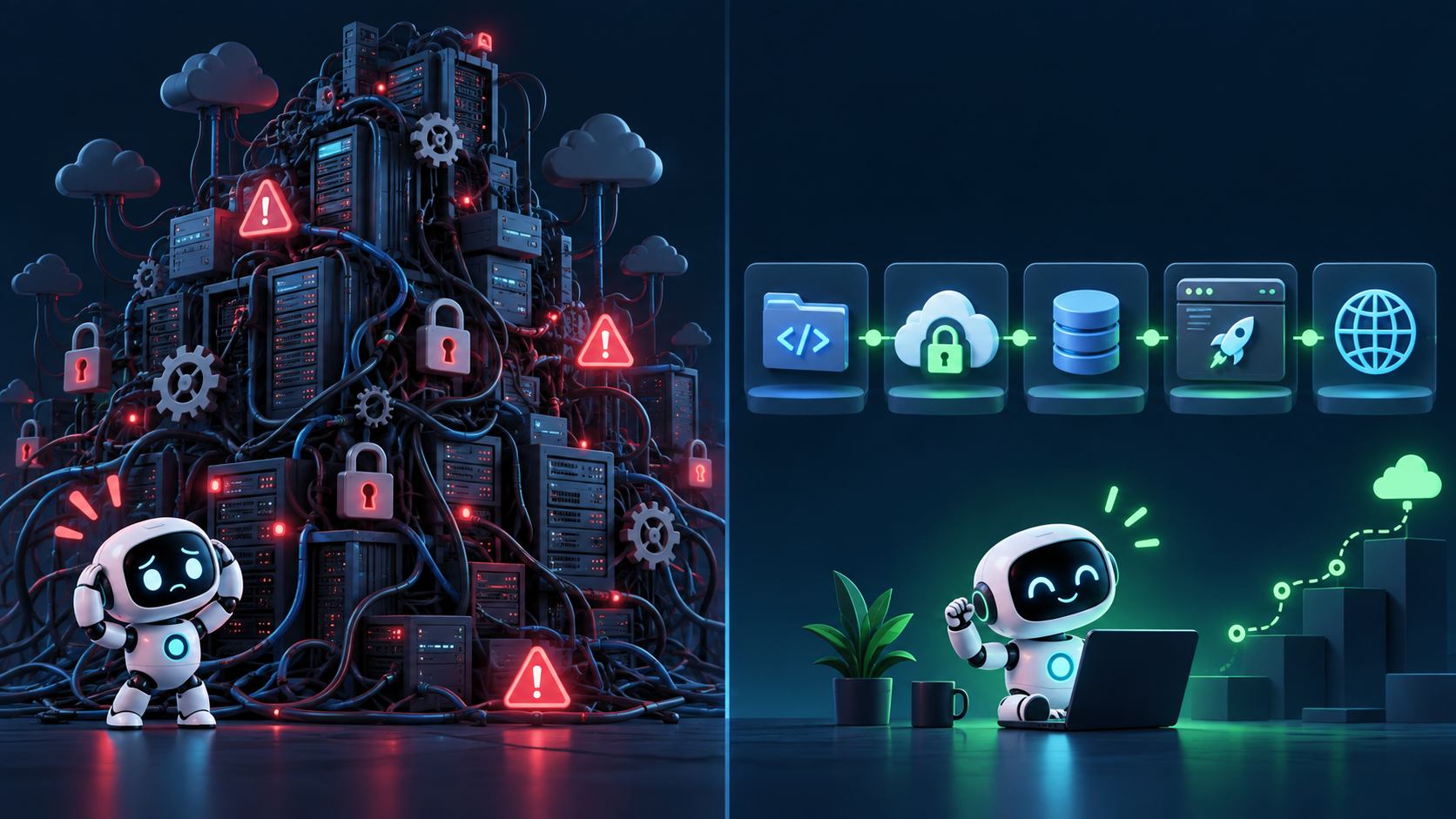
Instead of personally configuring a virtual machine, operating system, network, firewall, web server, database, certificates, backups, monitoring, and scaling, you delegate those jobs.
- Vercel deploys and delivers the application.
- Supabase runs the database and much of the backend.
- Cloudflare handles DNS, caching, and network-level protection.
- GitHub stores and versions the code.
- Your coding agent helps write and modify the product.
That leaves you with the job that matters most: what should this product actually do?
---
# You Can Start Very Cheaply
You still need a domain and may pay for AI usage; commercial projects must use plans that allow commercial use. But Cloudflare, Supabase, GitHub, and Vercel all offer accessible entry plans. Check current terms and pricing before launch.
The important shift is simple: you can build, test, and validate a real product before infrastructure costs become significant. Costs can grow with the product instead of forcing you to assemble an expensive server environment before you have a customer.
---
# Do Not Automate Everything the First Time
Modern AI can increasingly help set up all these systems.
Computer-use tools can interact with browser interfaces.
Codex and Claude can generate configuration.
AI can write your SQL.
It can tell you what DNS record to create.
It can help create database tables.
Eventually, letting the AI automate large portions of this is enormously useful.
But when you're starting, I recommend deliberately doing some of it yourself.
Not because the AI can't do it.
Because you need to understand the basic architecture.
If Cloudflare asks you to create a CNAME, ask:
If Supabase asks you to run SQL, ask:
If Git asks you to commit something, ask:
If Vercel asks you to configure an environment variable, ask:
Do this repeatedly.
At first the answers will sound technical.
Then you'll start recognizing the vocabulary.
Eventually you'll understand what the AI is doing even though you still let it do most of the mechanical work.
That is exactly where you want to end up.
---
# Learn the Terminal by Watching the AI
Learn the basic idea: your computer has folders (called directories in terminal language), and commands can move files, install programs, run applications, use Git, and connect to remote machines. You do not need to memorize hundreds of commands before you begin; the AI already knows them.
When you see something unfamiliar, ask:
You will learn faster from real work than from trying to memorize a terminal manual.
---
# Start Your First Project With a Plan
Do not start by telling Codex “build a blog.” First, use ChatGPT or another planning tool to describe the audience, pages, core features, accounts, comments, search, and where content will live. Then ask:
Read it, question it, and simplify it. Then ask:
Save that Markdown file in the project, open Codex or Claude Code there, and ask it to read the file before it works. Now the agent has a specification instead of having to invent what you meant.
---
# Natural Language Is Powerful — But It Is Ambiguous
English is powerful, but it is imprecise. Suppose you tell the AI:
You might mean “move the button and improve spacing.” The AI might infer:
- redesign the page
- change authentication
- add Google login
- restructure the React components
- change the database
- change routing
That is not necessarily a model failure; it is an ambiguous instruction. This is where many vibe-coding problems begin.
---
# Watch the Agent While It Works
Especially at the start, do not give the agent a giant task and disappear. Watch:
- what files it plans to change
- what commands it runs
- what assumptions it makes
- whether it changes the database
- whether it installs new packages
- whether it changes authentication
- whether it modifies unrelated code
- whether it restructures the project
If something sounds wrong, stop and ask:
The agent can explain its reasoning in normal language. It may know more syntax than you do, but you remain responsible for the architecture and the product.
---
# Improve Important Prompts Before Giving Them to Codex
For meaningful changes, use ChatGPT as a planning layer. For example, before adding subscriptions, explain the feature and ask:
Ask:
Then:
Include restrictions such as:
This kind of instruction saves time because coding models sometimes solve problems you did not ask them to solve.
---
# Don't Confuse Vibe Coding With Blind Coding
Vibe coding does not mean giving an AI a vague sentence and letting it do whatever it wants. Good vibe coding is closer to managing a very fast engineering team. You:
- define the objective
- explain the context
- specify constraints
- review the plan
- watch the work
- test the result
- correct mistakes
- move to the next feature
The AI handles a huge amount of implementation. You remain responsible for direction.
---
# The Basic Toolkit to Set Up
Before we begin the first actual project, I recommend becoming familiar with the following services.
Coding Agent
Start with:
Codex
or:
Claude Code
Learn one before trying everything.
Later consider:
OpenCode — https://opencode.ai/
if you want greater flexibility over model providers.
Alternative AI Models
OpenRouter — https://openrouter.ai/
Useful when you want one common gateway to models from many different providers rather than integrating separately with each one.
Domain
Buy a domain through a registrar such as:
- Namecheap — https://www.namecheap.com/
- Porkbun — https://porkbun.com/
- GoDaddy — https://www.godaddy.com/
Check both the purchase price and renewal price.
DNS and Network Layer
Cloudflare — https://www.cloudflare.com/
Use it to manage DNS and to provide network-level services such as caching, CDN delivery, HTTPS support, DDoS protection, and other security features.
Its Free plan is enough to begin for many small projects.
Code Repository
GitHub — https://github.com/
This stores the online copy and version history of your project.
Deployment and Application Hosting
Vercel — https://vercel.com/
This connects to your code repository, builds the application, deploys it, delivers it globally, handles HTTPS and domains, and can run application functions without requiring you to configure a traditional server.
Database and Backend
Supabase — https://supabase.com/
Use it when your application needs persistent structured memory.
Supabase gives you PostgreSQL plus authentication, APIs, storage, realtime capabilities, and other backend services.
For applications that primarily need managed PostgreSQL, also look at:
Neon — https://neon.com/
---
# That's the Infrastructure
It looks like a lot only before you have done it once. The AI can guide you through each account and connection, but you should understand the map: domain → DNS → Vercel, localhost → GitHub → Vercel, and frontend ↔ backend ↔ Supabase/database.
That is enough to build real applications with far less server work and up-front cost than before. If the project later needs a different architecture, redesign or migrate then. For now: build something, watch the AI, and learn as you go.
ARTICLE DISCUSSION
JOIN THE
CONVERSATION.
Got a question, a take, or a better way to do this? Log in and leave a comment.