

September 13, 2026
THE NEW PRODUCTION STACK: PREVISUALIZATION, ASSETS, AND EDITORIAL
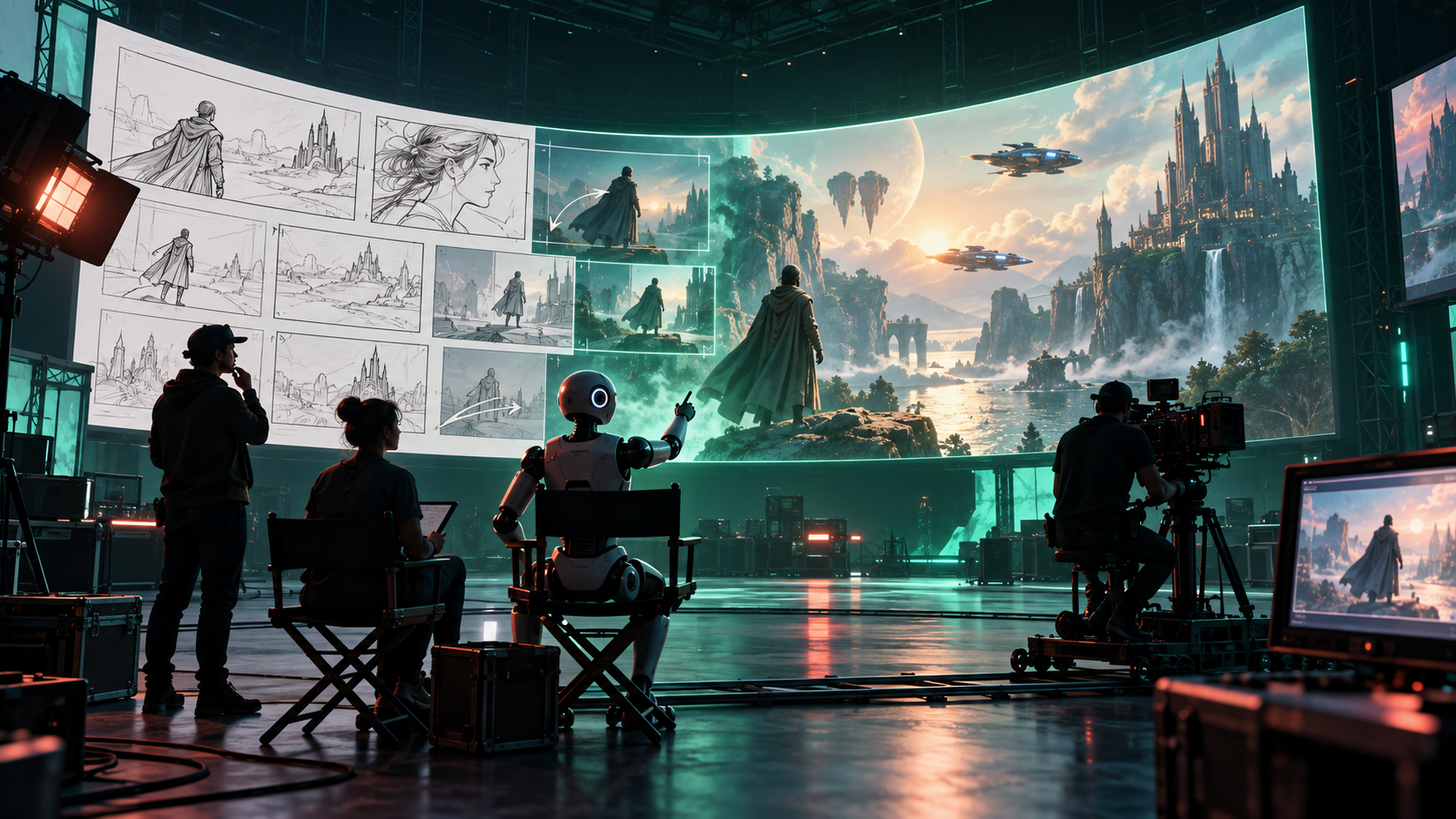
Class 59 taught you to direct a single shot: one clear idea, one camera move, one reviewed result. This lesson zooms out. A film, a short, even a 60-second scene is not one shot. It is a pipeline of decisions, and generative media changes that pipeline most where decisions are cheapest to reverse.
By the end of this lesson, you can explain the film production pipeline in plain language, say exactly where generative tools help, and build a decision-ready previs packet for a short scene.
The pipeline, in plain language
Every production, from a phone short to a studio feature, moves through the same six stages:
idea → development → previsualization → production → post-production → deliveryHere is what each stage actually decides:
| Stage | The question it answers | Typical outputs |
|---|---|---|
| Idea | What is this about, and why should anyone care? | Logline, one-paragraph premise, reference images |
| Development | Can this be made? What does it cost, who is in it, where does it happen? | Script, budget range, schedule, cast and location plan |
| Previsualization | What will it look and feel like before we spend real money? | Concept art, storyboards, animatics, test footage, sound references |
| Production | What do we actually capture or build? | Filmed footage, performances, sets, practical effects, production audio |
| Post-production | What does the audience finally see and hear? | Edit, visual effects, color, sound design, music, titles |
| Delivery | Where does it play, and in what form? | Masters, channel versions, captions, localized tracks, promo assets |
The expensive mistakes almost always happen when a team skips previsualization. They book the location, hire the crew, build the set — and only then discover the scene does not work. Previs exists to make that discovery cheap.
Where generative tools actually help
Generative image, video, voice, and music tools do not replace any stage. They make specific jobs inside stages faster and cheaper to try:
- Concept art and mood boards. Ten visual directions for a night market chase in an afternoon, instead of one direction after a week of back-and-forth.
- Storyboards. Rough panels that show framing, order, and coverage before an artist commits to finished boards.
- Animatics. Storyboard frames cut to timing with temporary sound, so you can feel whether a 60-second scene drags at second 30.
- Virtual locations. Explore what a rooftop, desert station, or small apartment could look like before scouting or building anything.
- Temporary voices. A scratch narration or dialogue read that lets you test timing and emotion before hiring performers or booking a studio.
- VFX exploration. Try three versions of a creature, a storm, or a transition to learn which one is worth paying a craft artist to finish properly.
- Localization drafts. Rough translated dialogue and timing guides for another language, reviewed later by a fluent speaker.
- Promotional material. Poster directions, thumbnail options, and teaser cuts derived from approved story material.
- Editorial experiments. Re-cut the same animatic three ways — faster opening, slower middle, different ending — and compare.
Notice the pattern. Every item on that list is either planning material or a disposable draft. That is the correct mental model: generative output is scaffolding, not the building.
Previs is not final footage
This distinction matters more than any tool skill in this class:
- Previsualization answers: what should we shoot, build, or pay for next?
- Final footage answers: what does the audience see?
A rough generated scene is extremely useful when it helps a team decide. It is dangerous when it is presented as finished evidence — a fake trailer shown to investors, a festival, or an audience as though the film already exists.
Keep the labels honest from the start. Watermark or filename-mark every previs asset as PREVIS — NOT FINAL. When the packet works, nobody needs it to look finished. When it fails, you want everyone to know exactly what failed: the idea, the staging, the pacing — not the render quality.
Example: a two-person short that pitches the world first
Mara and Jun want to make a 12-minute short: a night-shift radio host who realizes callers are describing the same strange light over the harbor. They have a script draft, almost no budget, and one big unknown — the visual world. Is it a grounded coastal drama with one strange element, or a full neon-noir fantasy?
Hiring a set, booking a harbor location at night, and commissioning VFX tests would cost thousands before they know which film they are making. So they spend two weekends on previs instead:
1. They generate twenty concept frames: the booth, the harbor, the light. They keep four. 2. They turn the four into a simple storyboard for the opening 60 seconds: host alone, first call, window glance, light on water. 3. They cut those frames to a 60-second animatic with a temporary voice read and harbor-night sound references. 4. They show it to three people: a cinematographer friend, a potential location contact, and one honest viewer. Each one answers the same question: which world do you believe, and what would you shoot first?
The result is not a film. It is a decision. They learn the grounded version with one strange light plays stronger, the booth can be one small room, and the harbor only needs one wide night shot. Now the money they spend goes toward the right set, the right night, and the right single VFX moment — instead of all three guesses at once.
That is the whole lesson in one story: pitch the world before paying for it.
Build it: the one-page previs packet
Your exercise is to make a previs packet for a 60-second scene. One page, four sections, no finished-film pretending.
Use this template:
PREVIS PACKET — [scene title] — PREVIS, NOT FINAL

1. STORY BEAT (3–5 sentences)
   What happens in these 60 seconds? Whose decision or discovery moves the scene?

2. FIVE FRAMES
   Frame 1 (0–10s): [describe shot + why it opens here]
   Frame 2 (10–25s): [describe shot + what changes]
   Frame 3 (25–35s): [describe shot + the turn]
   Frame 4 (35–50s): [describe shot + escalation or quiet moment]
   Frame 5 (50–60s): [describe shot + the button / cut point]
   (Rough generated or sketched frames are fine. Label each PREVIS.)

3. SOUND / MOOD NOTES
   Dialogue/temp voice: [what is heard, whose voice, what emotion]
   Sound design: [3–5 specific sounds, e.g. rain on awning, radio static swell]
   Music direction: [one line — sparse piano, low pulse, or silence, and why]

4. PRODUCTION QUESTIONS THIS RESOLVES
   - Location/set: [what this packet lets us decide]
   - Coverage: [what we now know we must shoot vs. can skip]
   - VFX/practical: [what needs a real build, a craft artist, or nothing]
   - Cost/risk avoided: [what we will NOT pay for until this is approved]
Worked miniature example: a 60-second harbor opening. Beat: the host takes a routine call, glances out the window mid-sentence, and loses the thread as the light moves. Five frames: wide booth, close-up on host, over-shoulder to window, wide harbor with light, back on host, silent. Sound: tired late-night voice, rain, faint static. Questions resolved: one room suffices for the booth; the harbor needs a single licensed night plate, not a full location night; the light is one VFX shot, not a sequence.
Check your understanding
1. Name the six pipeline stages in order, and state what decision previs makes versus what production makes. 2. List three generative previs uses and, for each, say what expensive commitment it helps you avoid. 3. Why should every previs file be labeled "previs, not final," even when it looks good?
Common failure mode: a beautiful packet that resolves nothing. If your production-questions section is vague ("we'll figure out locations later"), the packet is decoration. Rewrite it until a producer could cancel or approve a specific expense from it.
The finish line
You are done when you hold a one-page, decision-ready previs packet: story beat, five labeled frames, sound and mood notes, and the production questions it resolves. Not a fake trailer. A document a collaborator could read and say: here is what we shoot next, and here is what we no longer need to pay for.
Next, Lesson 60.2 asks the team question: now that exploration is cheap, who does what — and which human stays responsible for each decision?
ARTICLE DISCUSSION
JOIN THE
CONVERSATION.
Got a question, a take, or a better way to do this? Log in and leave a comment.