

September 13, 2026
CONTINUITY, CHARACTERS, PRODUCTS, AND THE REALITY CHECK
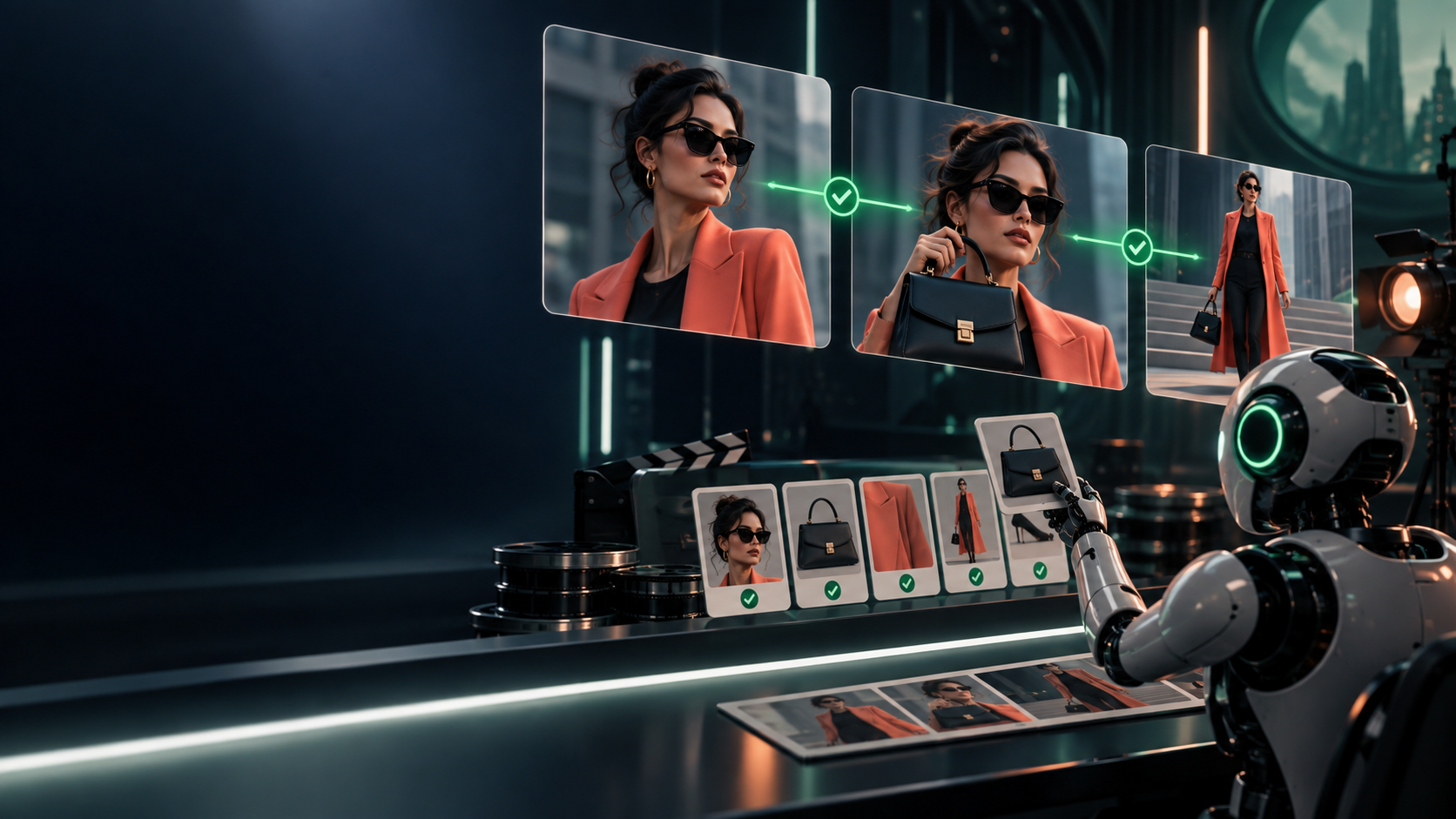
You have a sequence, shot language, and a tool choice. Now the failure mode that kills most AI video: shot one shows one product, shot two shows a slightly different one — and nobody notices until a customer complains.
What continuity actually covers
Continuity is the promise that the world of your video stays the same world from shot to shot:
- Character appearance: face, hair, age, wardrobe, accessories. Same person, same clothes, unless the story says time passed.
- Environment: room, street, shelf, sky, time of day, weather. Morning light does not become neon night mid-proof.
- Product details: shape, color, label text and position, size, materials, packaging. The thing for sale must match the thing shipped.
- Screen direction: if the baker walks left-to-right in shot one, they do not teleport right-to-left in shot two.
- Time and language: clocks, dates, prices, on-screen words, UI text. One price, one spelling, one language — or an intentional, labeled change.
- Visual language: palette, lens feel, grain, lighting grammar from your visual system (Class 57).
Viewers forgive a simple shot. They distrust a drifting one — even if they cannot name why.
The tools: references, sheets, constraints, bible
- Reference images: one approved still per persistent thing — hero product front, character face and outfit, location wide, style frame. Generation starts from these, not from adjectives.
- Character / product sheets: a single page per subject: approved angles, must-preserve facts (label wording, logo placement, stitching, crust pattern), do-not-change list. Reuse your Class 57–58 sheets where they exist.
- Scene constraints: per-shot must/must-not lines carried into every generation ("keep green apron, no glasses, morning window light from left").
- Continuity bible in Markdown: one file the whole production obeys. If it is not written down, it is not a rule — it is a hope.
# CONTINUITY.md — [project name]

## Locked references (files)
- Product hero: `refs/product-front.jpg` (label reads "...", colors ...)
- Character: `refs/ana-face.jpg` + `refs/ana-outfit.jpg`
- Location: `refs/bakery-wide.jpg` — morning, window left
- Style: `refs/style-frame.jpg`

## Must-preserve facts
- Product: shape / color / label text + position / size
- Character: hair / wardrobe / accessories
- Environment / light / time of day:
- Screen direction: (e.g., baker moves left → right)

## Per-shot constraints
| Shot | Must keep | Must NOT change | Illustrative / Documentary |
|------|-----------|-----------------|----------------------------|

## Change log
- Date / shot / what drifted / fix applied
Failure patterns to inspect for (every shot, every tool)
1. Changing labels and text: words respell, prices morph, logos slide. Freeze a frame mid-shot and read everything. 2. Impossible hands and interactions: six fingers, mugs gripped through ceramic, tools entering palms. Hands lie first. 3. Swapped or duplicated objects: two ovens become one, the loaf changes crust, the chart's bars reorder. 4. Unreadable or invented UI: dashboards, phones, and charts that look plausible at speed and false on pause. Never show a fake screen as proof. 5. Invented locations and events: a street that does not exist, a crowd that never gathered, a ceremony that never happened. 6. False demonstrations: the product apparently doing something it cannot do, a person apparently endorsing something they never touched, a result apparently achieved with no source.
Any one of these, published as fact, converts a production error into a trust error.
The boundary: illustrate, never fabricate evidence
Say it as a production rule and enforce it in the shot list:
Practical consequences:
- Testimonials require real people with real permission — or clearly fictional characters labeled as dramatization, never presented as customers.
- Before/after claims require real captures with dates and method — not generated glow-ups.
- Product capability demos require the real product doing the real thing — or an on-screen "illustrative dramatization" label plus the real proof beside it.
- Research visuals keep metaphor and data physically separate: the glowing card drawer never shares a frame with the benchmark number.
When in doubt, ask: "If a skeptical customer paused this frame, could they mistake it for proof?" If yes, relabel, reshoot with real assets, or cut it.
Exercise: CONTINUITY.md for a five-shot story
Extend your 59.1–59.2 plan to five shots (hook, context, proof close-up, meaning, CTA). Attach one approved reference per persistent subject, fill the must-preserve facts, and annotate every shot illustrative versus documentary/source material. Then run the failure-pattern inspection on your selected clips and log at least one fix — corrected label, re-generated hands, replaced fake UI with a real capture.
Finish line: a continuity packet plus an annotated shot list a reviewer could audit without watching the edit.
Verify fast: hand the packet to a reviewer with the clips muted. Can they spot which shots are evidence and which are illustration from your labels alone? If not, the labels are decoration. Common failure: a beautiful clip that quietly changes the product — kept because it is beautiful.
Check your understanding
1. What six things must not drift, and which one drifts most often in your tests? 2. What is the difference between a reference image and a style adjective? 3. List three failure patterns and the pause-and-inspect test for each. 4. Rewrite one of your shots so its claim is carried by a real asset instead of a generation.
Next
Continuity keeps shots honest. Next, Lesson 59.5 turns honest shots into communication: timeline, cuts, pacing, captions, end cards, safe areas, and exports — ending in a VIDEO-DELIVERY/ folder ready to publish.
ARTICLE DISCUSSION
JOIN THE
CONVERSATION.
Got a question, a take, or a better way to do this? Log in and leave a comment.